Workbench manual · Chapter 5 of 7
Read the chart and track progress
Use the chart, thread key and Crafting mode together while marking Crosses and Backstitch segments at your own pace.
In this manual
Before you begin
- Open a chart whose key and layers you have reviewed.
- Choose a clear center or row/column reference before marking the first stitch.
- Use the physical thread and fabric you intend to stitch; screen color remains approximate.
What you will have
Crafting progress is visible for the active layer and can be corrected without changing the chart itself.
Steps
Read the key before marking
In Info, review the chart dimensions, Cross stitches, Backstitches and Empty cells. In Crafting, use the active layer count to see completed and remaining items, then match a symbol to its DMC code and color name on the grid.
Expected result. You know the chart position, thread identity and remaining work for the active Cross or Backstitch layer before marking.
Choose Crafting mode and a layer
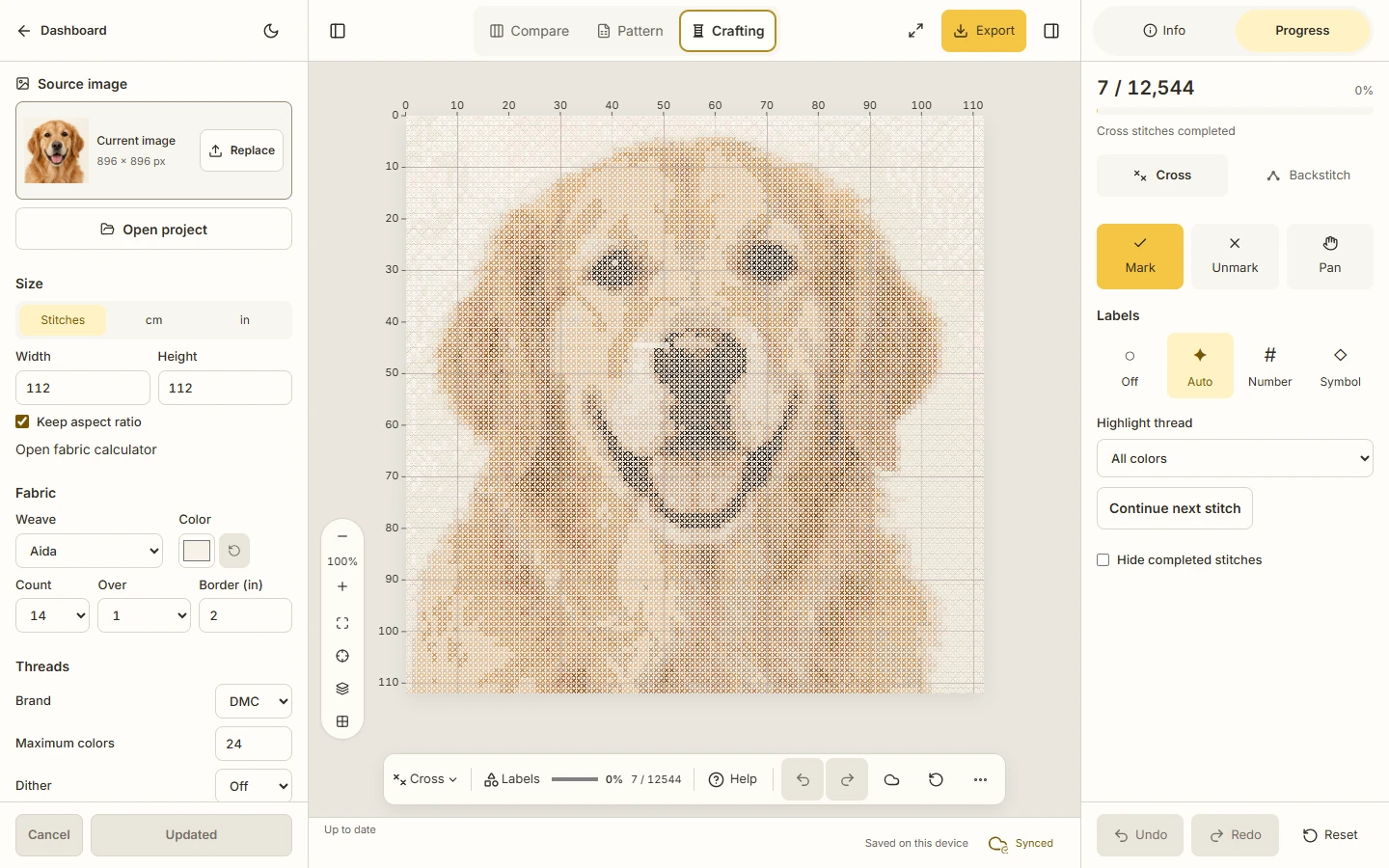
Choose Crafting in the mode tabs, then select Cross or Backstitch. Use the progress summary to see completed and total items for the active layer.
Expected result. The progress count and percentage describe only the selected Cross stitches or Backstitch segments.
Mark and unmark carefully
Use Mark to complete the next stitch or segment and Unmark when you need to reverse one. Use Continue next stitch to center the next position, and Hide completed stitches when it reduces visual noise.
Expected result. The chart and progress count update together, while empty fabric remains empty and does not count as a stitch.
Use separate progress history
Use Undo and Redo in the Crafting footer when a marking action is wrong. Keep in mind that this history is separate from Pattern drawing history.
Expected result. A progress correction does not erase the chart edit that defined the stitch or line.
Save a readable stopping point
Let the device save settle before closing the editor, then keep a native backup when the project matters. If you want the same progress on another signed-in session, enable cloud sync in the Info footer.
Expected result. Your current progress is available in the device copy, with cloud availability shown separately rather than inferred from the progress number.
See the task
If something does not look right
- If a mark lands on the wrong item, use Unmark or progress Undo immediately. The chart data remains separate from the progress history.
- If the browser closes while a local save is pending, reopen the latest native backup or the last device copy and compare progress before continuing.
- If a symbol or line is unclear, return to Info and the key, then use the reading guide before choosing a physical thread.
Limits to keep in mind
- Crafting records progress; it does not certify the physical stitch or estimate thread quantities or stitching time.
- Cross and Backstitch are separate layers. A Backstitch line is not a fractional Cross.
- Device saving is browser-local. Cloud sync has separate account, membership and quota rules described in the next chapter.